MANMEET SAGRI

Interactive Elements

Main Header Navigation

Code:


<header>
  <h1>MANMEET SAGRI</h1>
  <nav>
    <a href="index.html">Home</a>
    <a href="projects.html" aria-current="page">Projects</a>
    <a href="about.html">About Me</a>
  </nav>
</header>
        

Rendered:

See the sticky header at the top of this page.

Button

Code:


<button class="view-projects-btn" onclick="window.location.href='projects.html'">View My Projects</button>
        

Rendered:

In-text Link

Code:


<p>Check out my <a href="projects.html">projects</a> here.</p>
        

Rendered:

Check out my projects here.

Text Elements

Headings

Code:


<h1>Heading 1</h1>
<h2>Heading 2</h2>
<h3>Heading 3</h3>
        

Rendered:

Heading 1

Heading 2

Heading 3

Paragraph

Code:


<p>Hello! I'm Manmeet Sagri...</p>
        

Rendered:

Hello! I'm Manmeet Sagri, an undergraduate student at SFU's School of Interactive Arts & Technology, specializing in design and development. I love working at the intersection of technology and creativity, bringing ideas to life through interactive, level-based games and digital experiences.

My academic projects range from game development and creative coding simulations to responsive web prototypes, giving me hands-on experience in both technical and design-focused work.

List

Code:


<ul>
  <li>HTML</li>
  <li>CSS</li>
  <li>JavaScript</li>
</ul>
        

Rendered:

  • HTML
  • CSS
  • JavaScript

Combined Elements

Project Analysis

This section demonstrates how project analyses are structured in my portfolio. Each example explains the project context, my role, key process stages, problems and resolutions, and the overall reflection.

Aladdin's Treasure Hunt

March 2025 – April 2025

Role: Game Designer and Developer

Tools: Processing, Figma

Project Overview: Aladdin's Treasure Hunt is a level-based arcade game built in Processing. Players guide Aladdin through increasingly difficult levels by collecting gems while avoiding enemies.

Context: This was an individual project for IAT 167, focused on applying object-oriented programming to create a playable, interactive game with escalating difficulty.

My Contribution: I designed and developed the full game, including the game logic, level progression, collision detection, enemy behaviour, and all visual assets.

Process

1. Concept and Planning
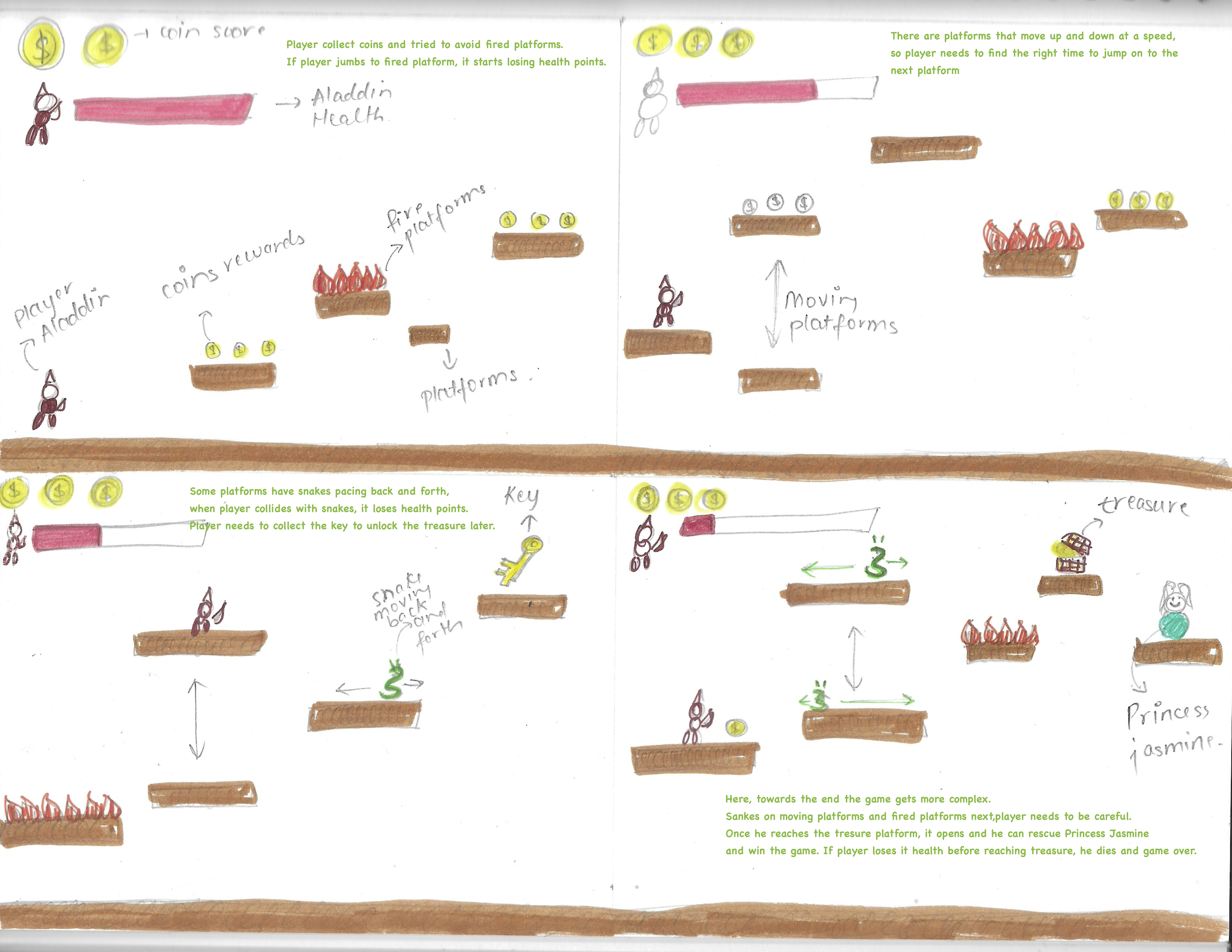
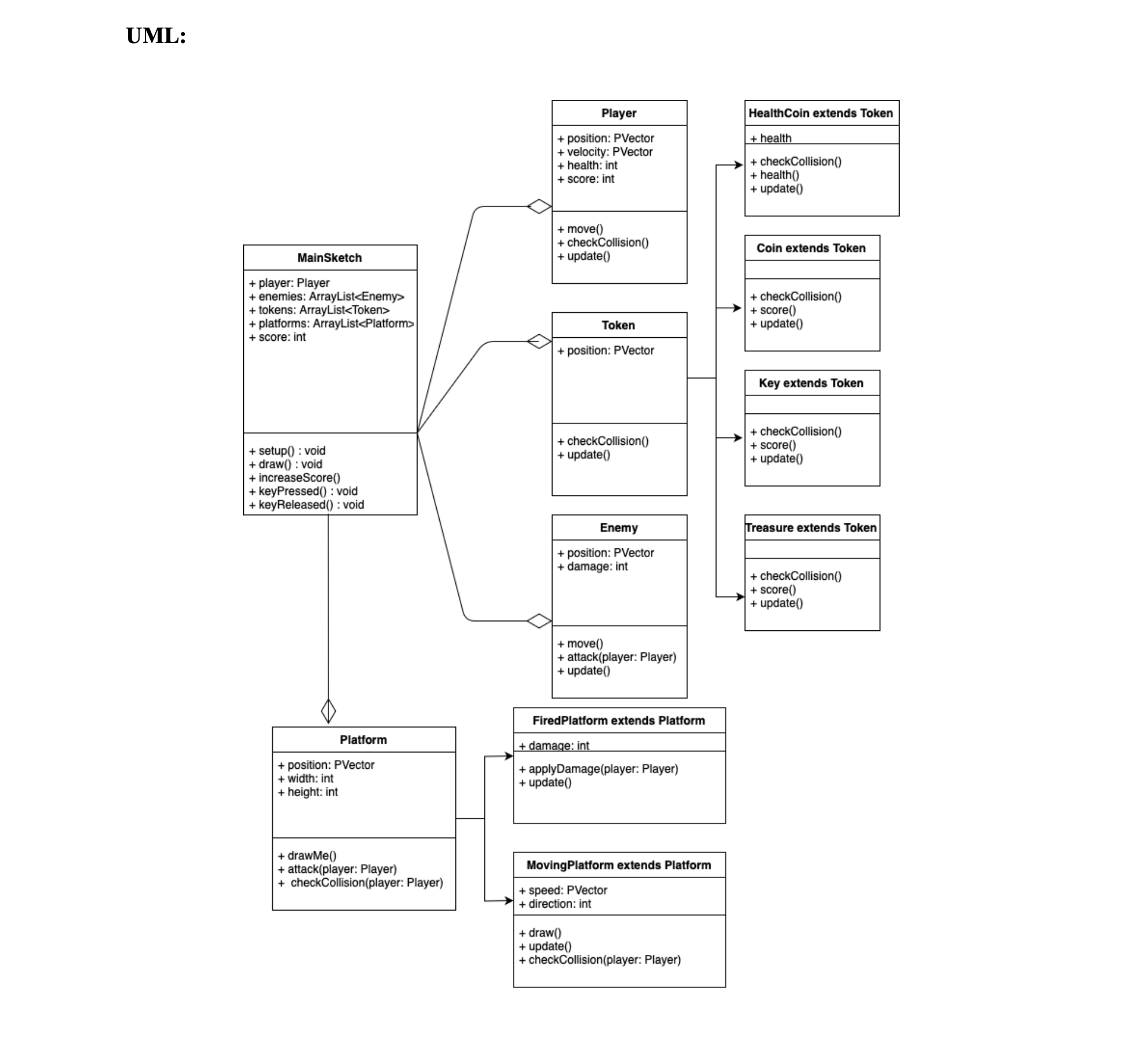
Storyboard sketches for Aladdin level ideas UML diagram showing the game structure

I began by sketching the game concept and mapping out how levels would escalate. Planning the structure early helped me organize the codebase and anticipate complexity.

2. Development
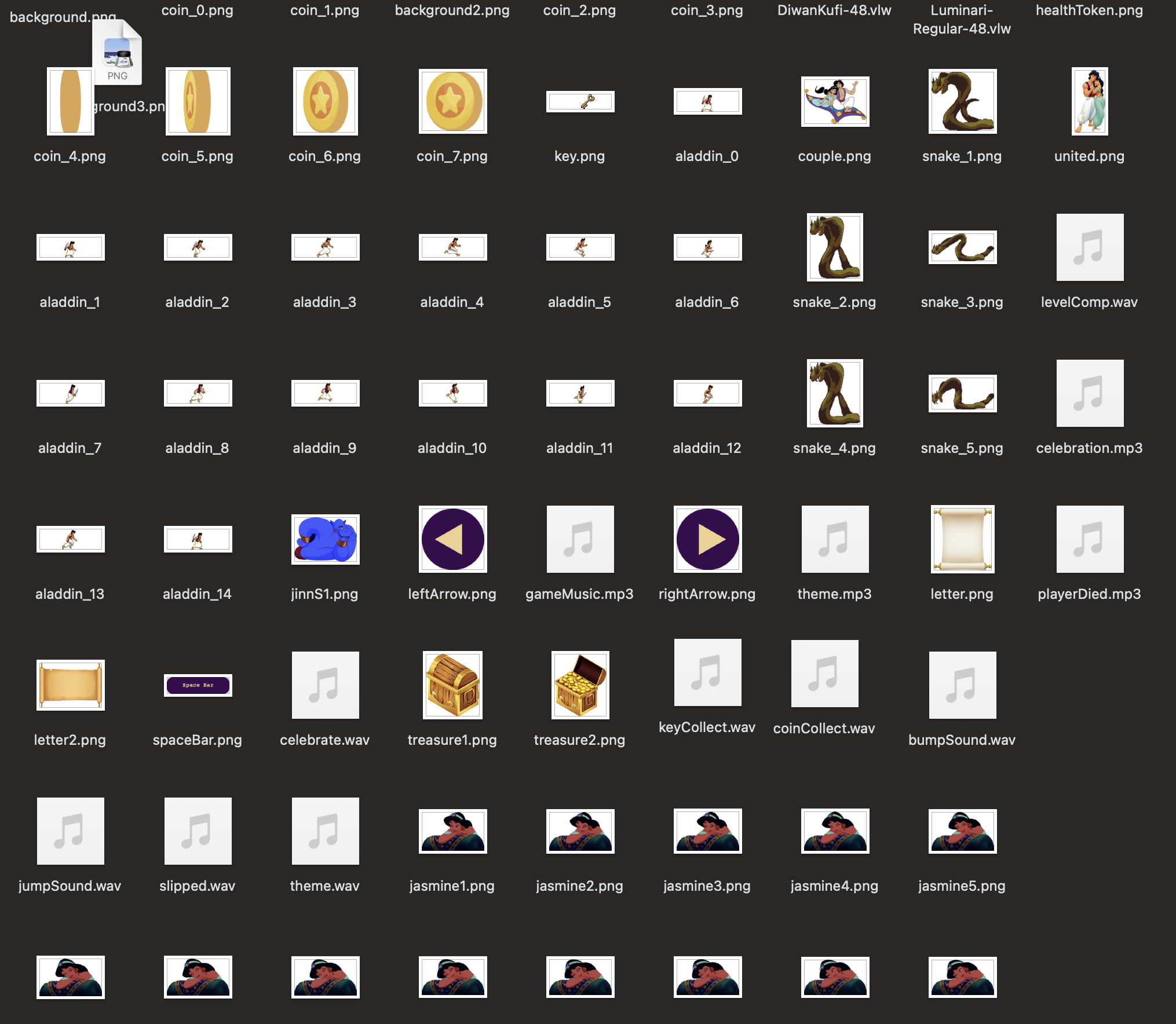
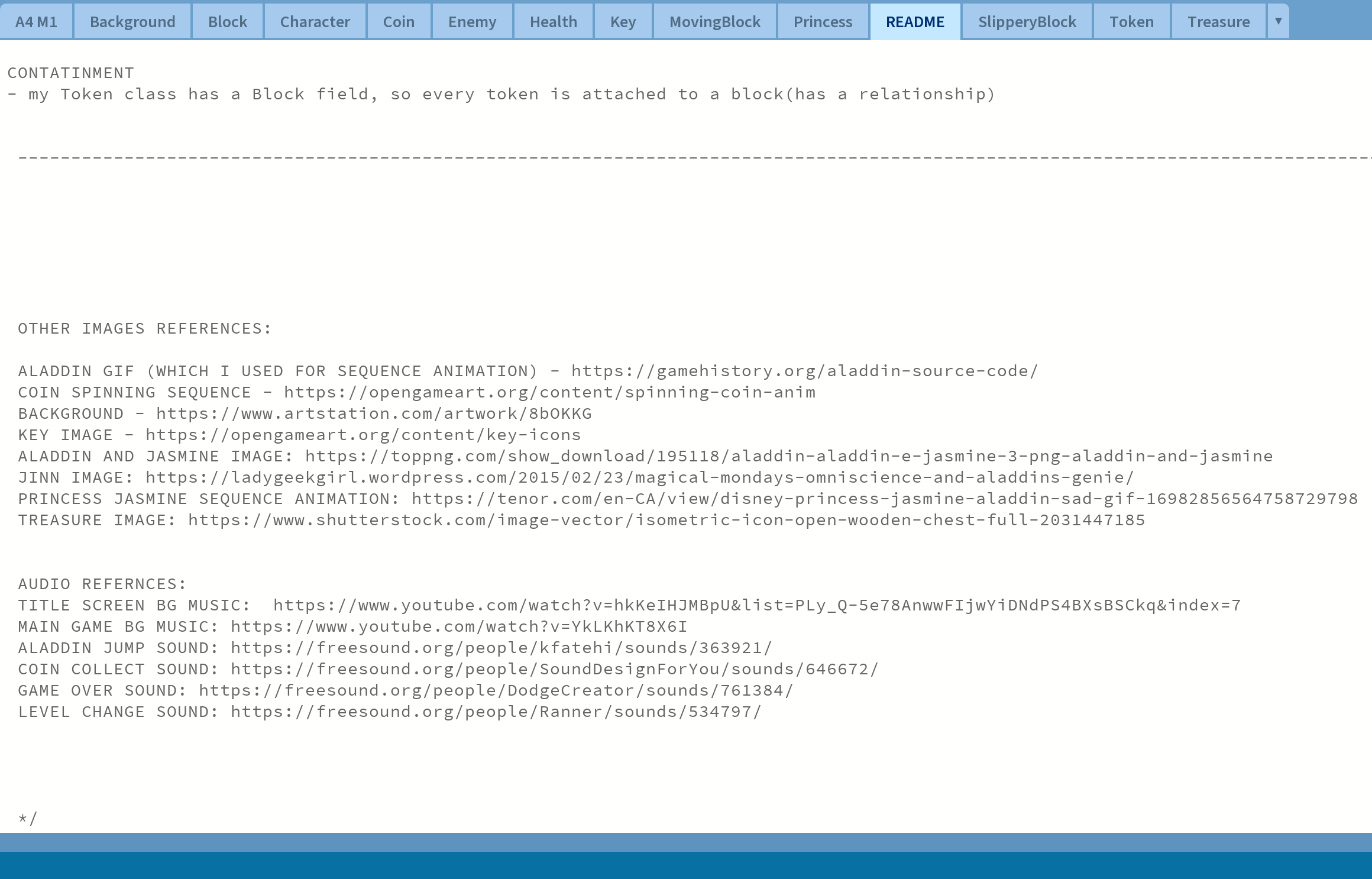
Game assets and animations organized for the Aladdin project README credits and references for images and audio

I built the game iteratively, starting with core movement and collision, then layering in enemies, gems, score tracking, and level transitions. Each feature was tested before adding the next.

Problems and Resolutions

Collision detection between multiple moving objects was a key challenge. I resolved it by refining hitbox logic and separating enemy and gem collision into distinct methods.

Evaluation

This project strengthened my understanding of object-oriented programming, gameplay logic, and iterative development. It also showed me the importance of planning structure early and creating more original visual assets in future projects.
The Glazing Guide

Jan 2025 – April 2025

Team: Manmeet Sagri, Amanda Eng, Victoria Lo, Christine An

Role: UX Researcher and Interaction Designer

Tools: Figma, FigJam, Google Docs

Project Overview: The Glazing Guide was a collaborative interaction design project developed in partnership with Palette Art Studio. The goal was to improve the glazing experience for customers by making instructions clearer and reducing confusion.

Context: Customers at the studio often relied on verbal instructions, spent too long selecting colours, and created crowding near the Paint Bar.

My Contribution: I contributed to field research, synthesis, ideation, and interface design, especially in shaping the digital colour guide.

Process

1. Field Research and Observation
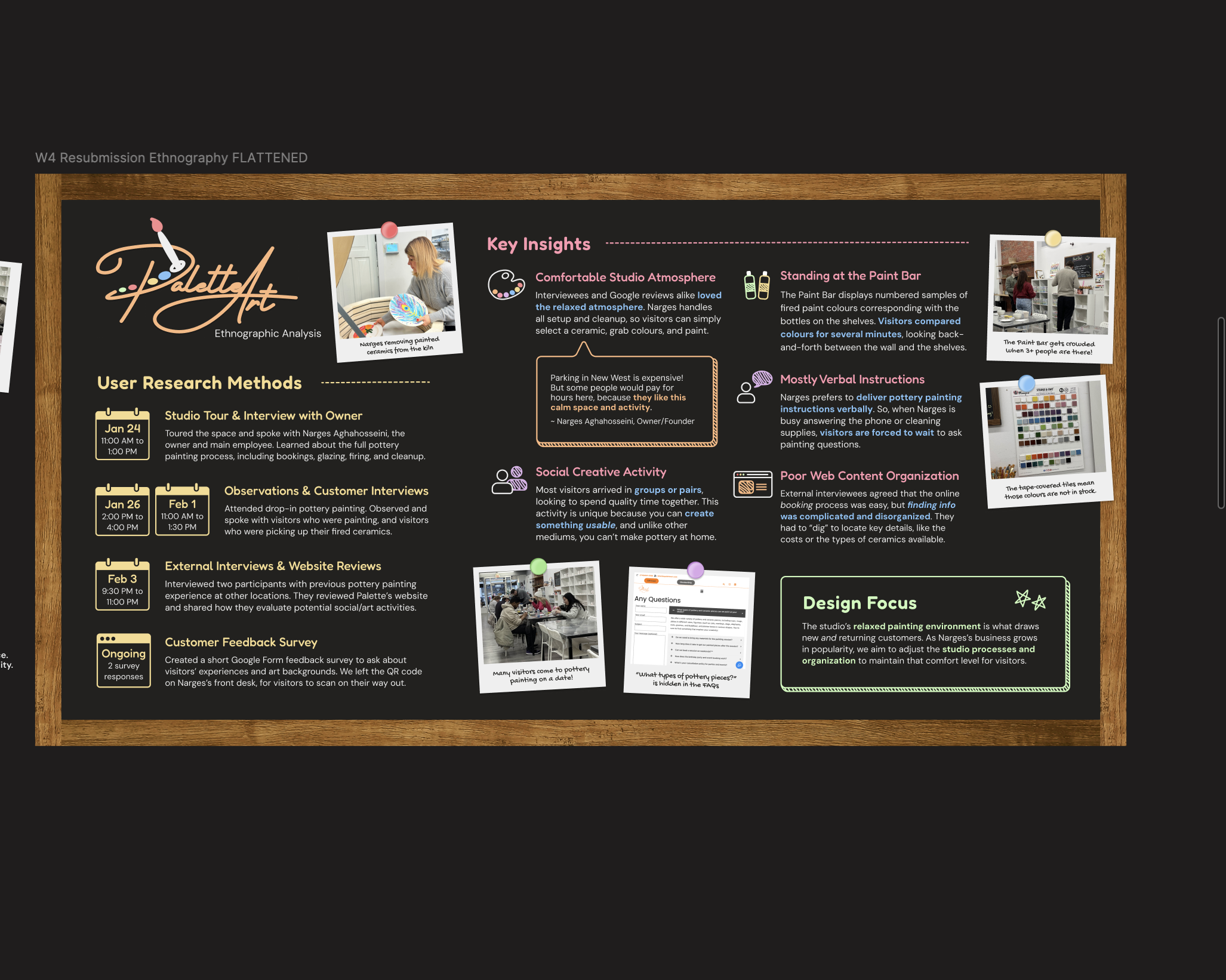
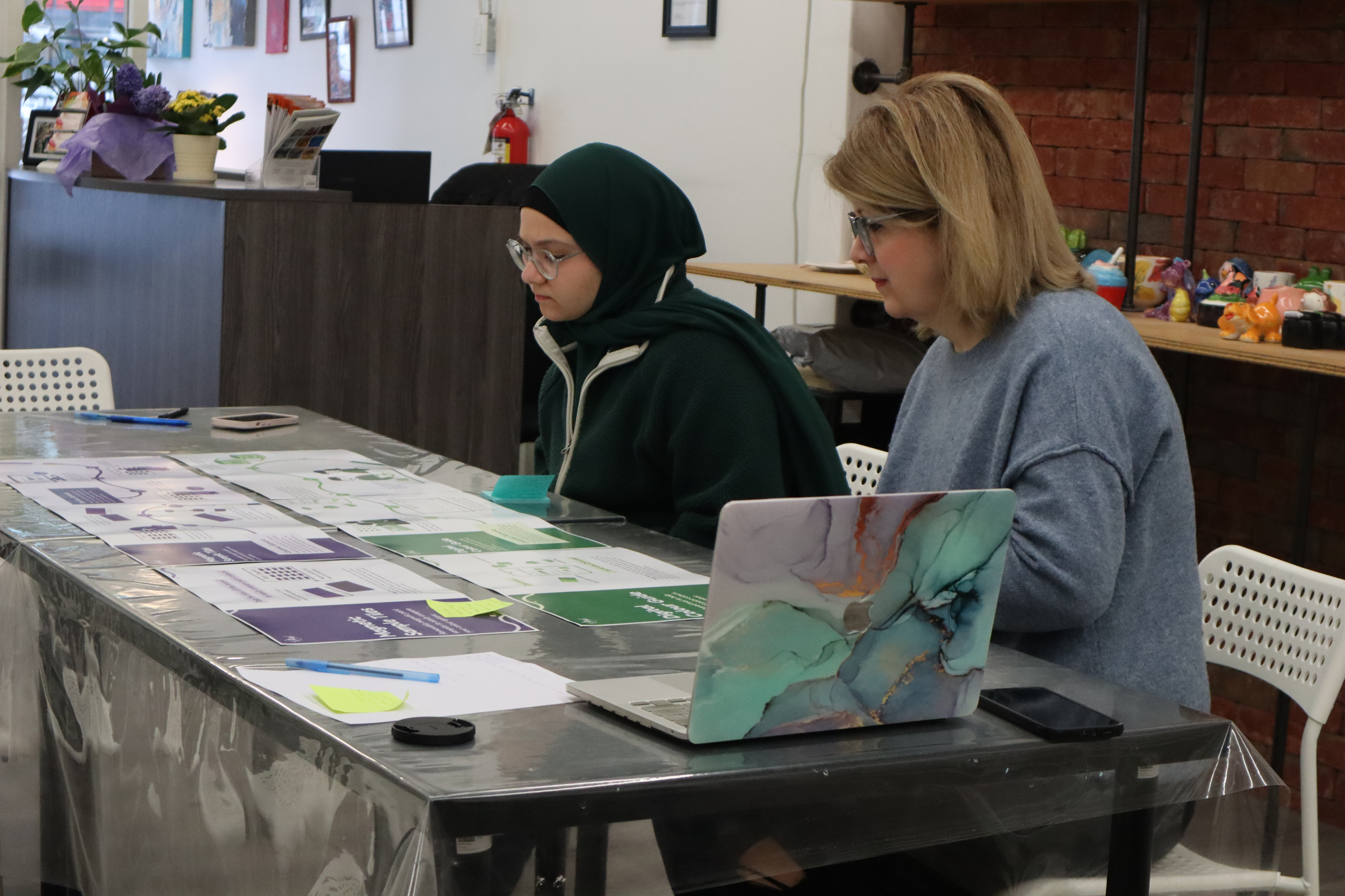
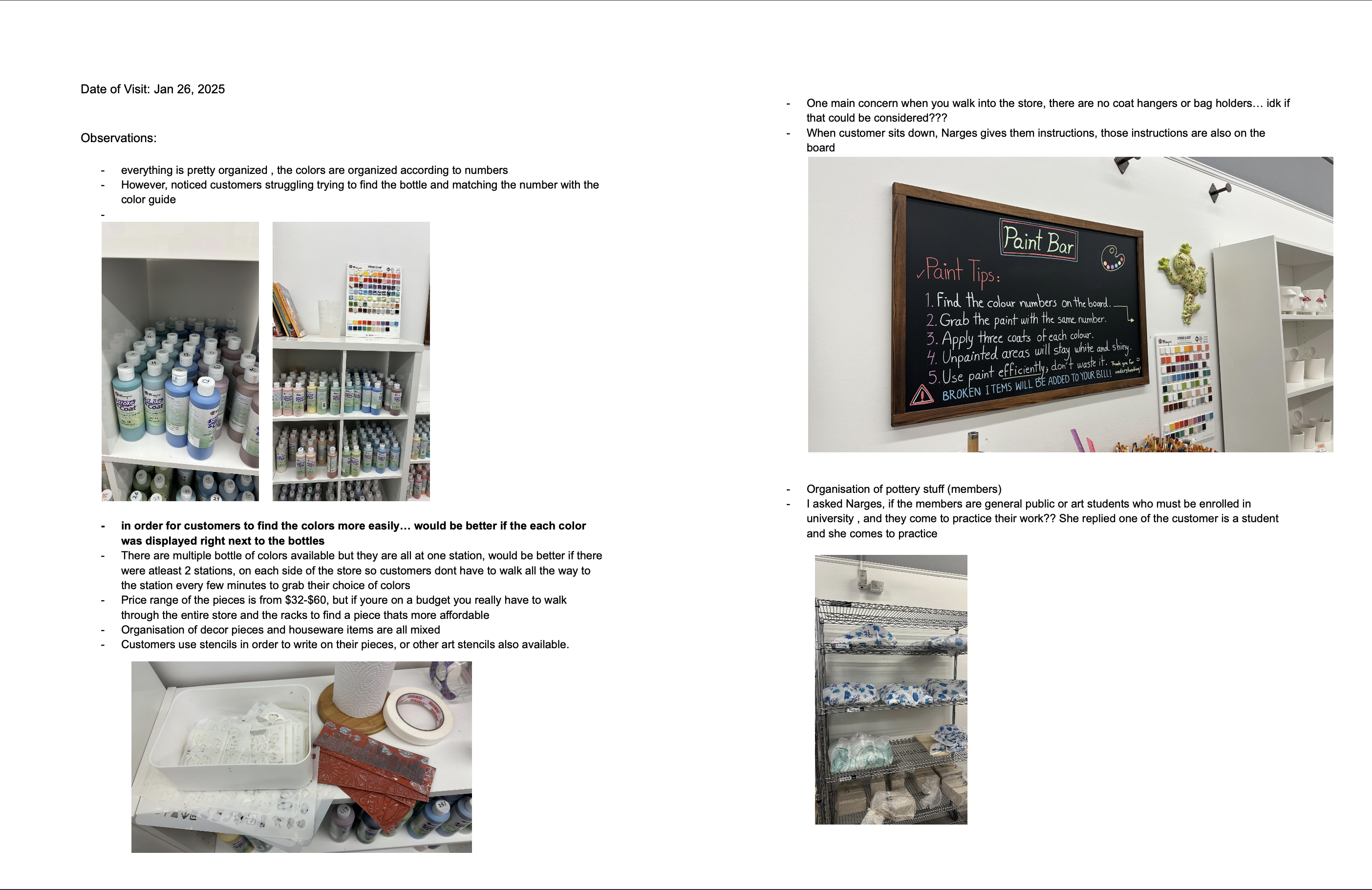
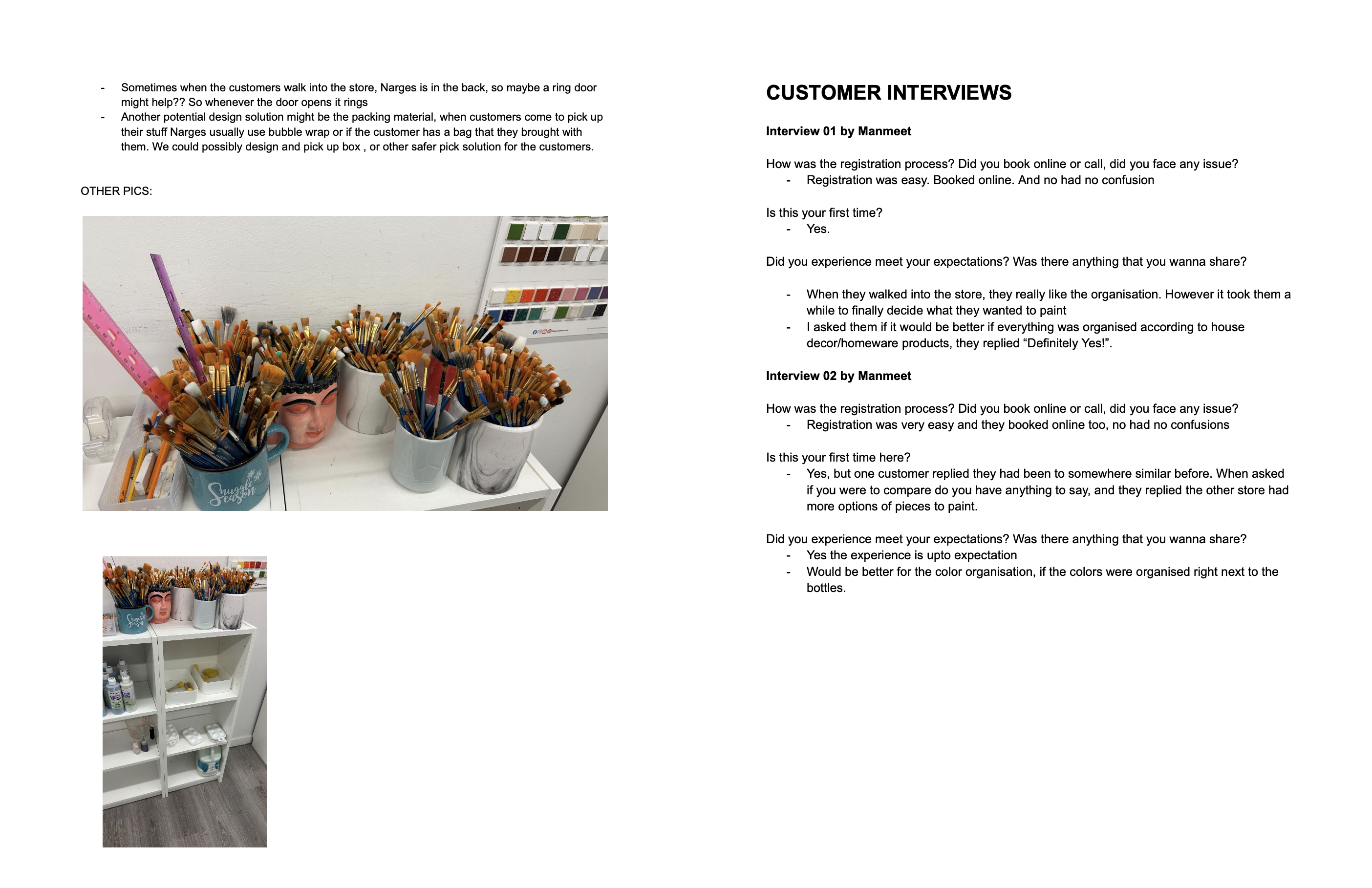
Field notes from Palette Art Studio visit Observation notes and sketches from the studio visit

The project began with field observation, interviews, and on-site note-taking. This stage helped identify key usability issues such as confusion around colour matching.

2. Synthesis and Problem Framing
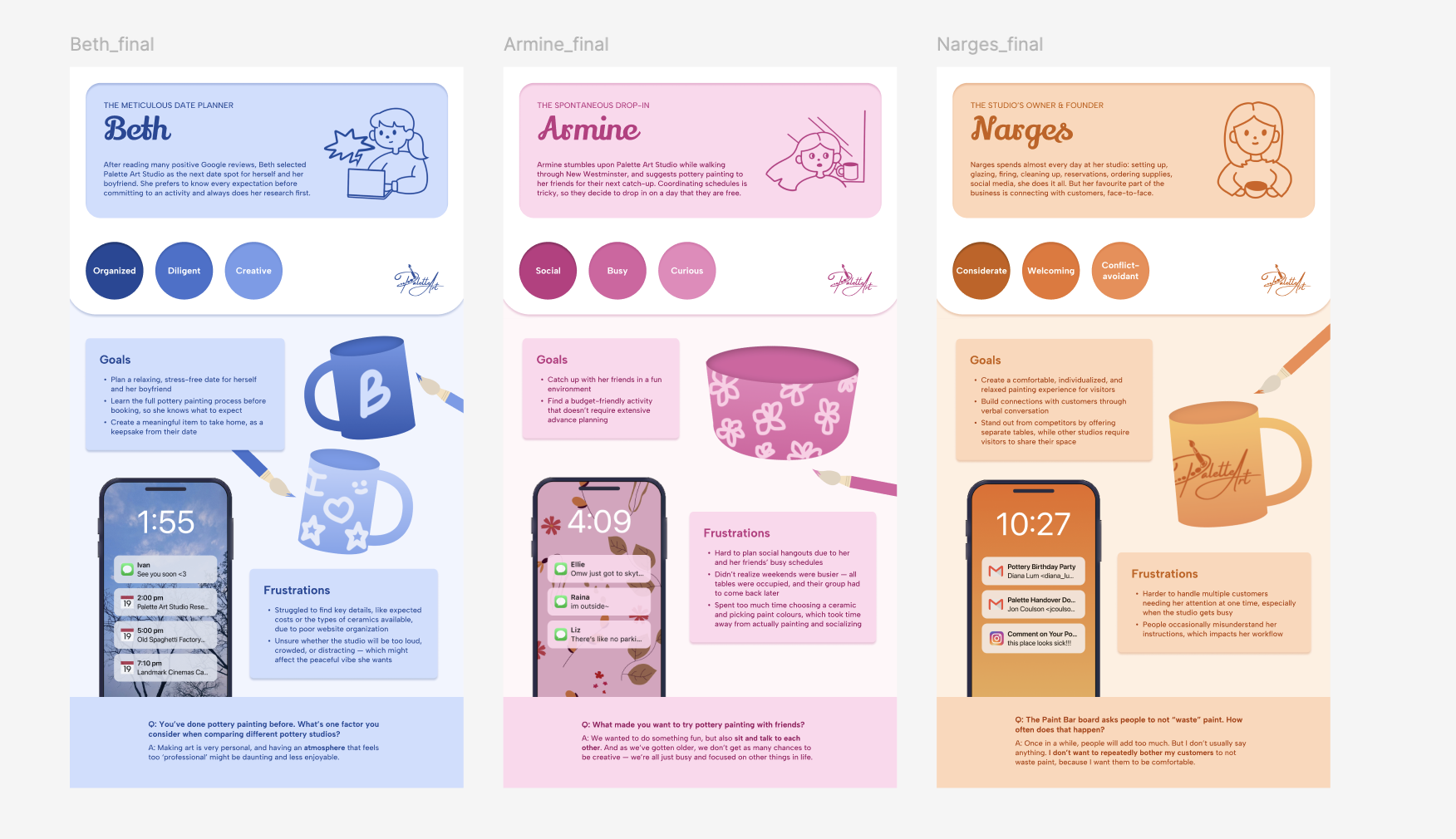
Research synthesis notes and themes Persona created from user research

After gathering research, we synthesized findings into themes, personas, and clearer problem definitions to move from observation to design direction.

3. Ideation and Concept Development
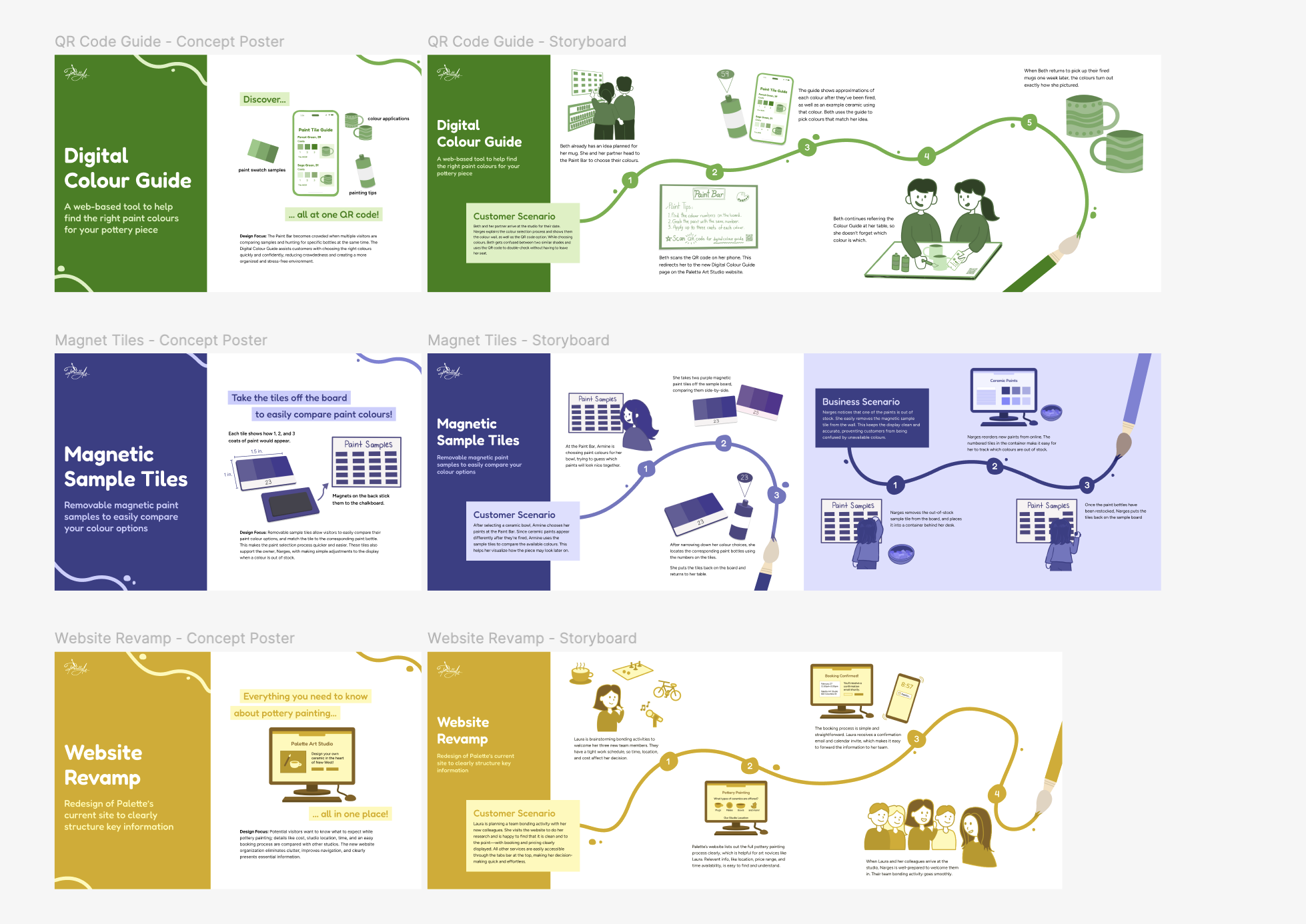
Early concept sketches for the glazing guide Concept review for the glazing guide project

We explored several directions through sketches and collaborative discussion, shaping the digital colour guide direction that became part of the final system.

4. Design and Prototyping
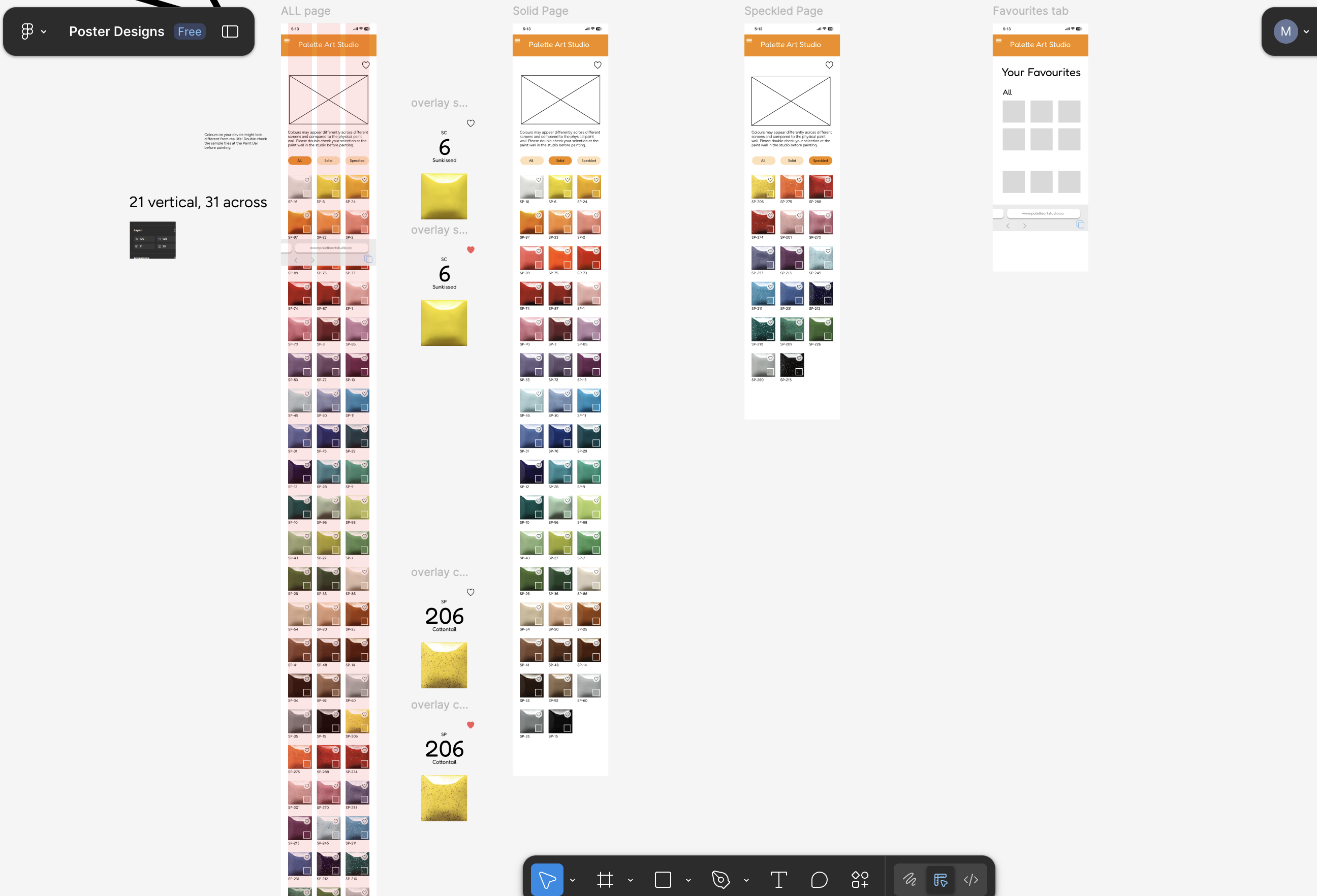
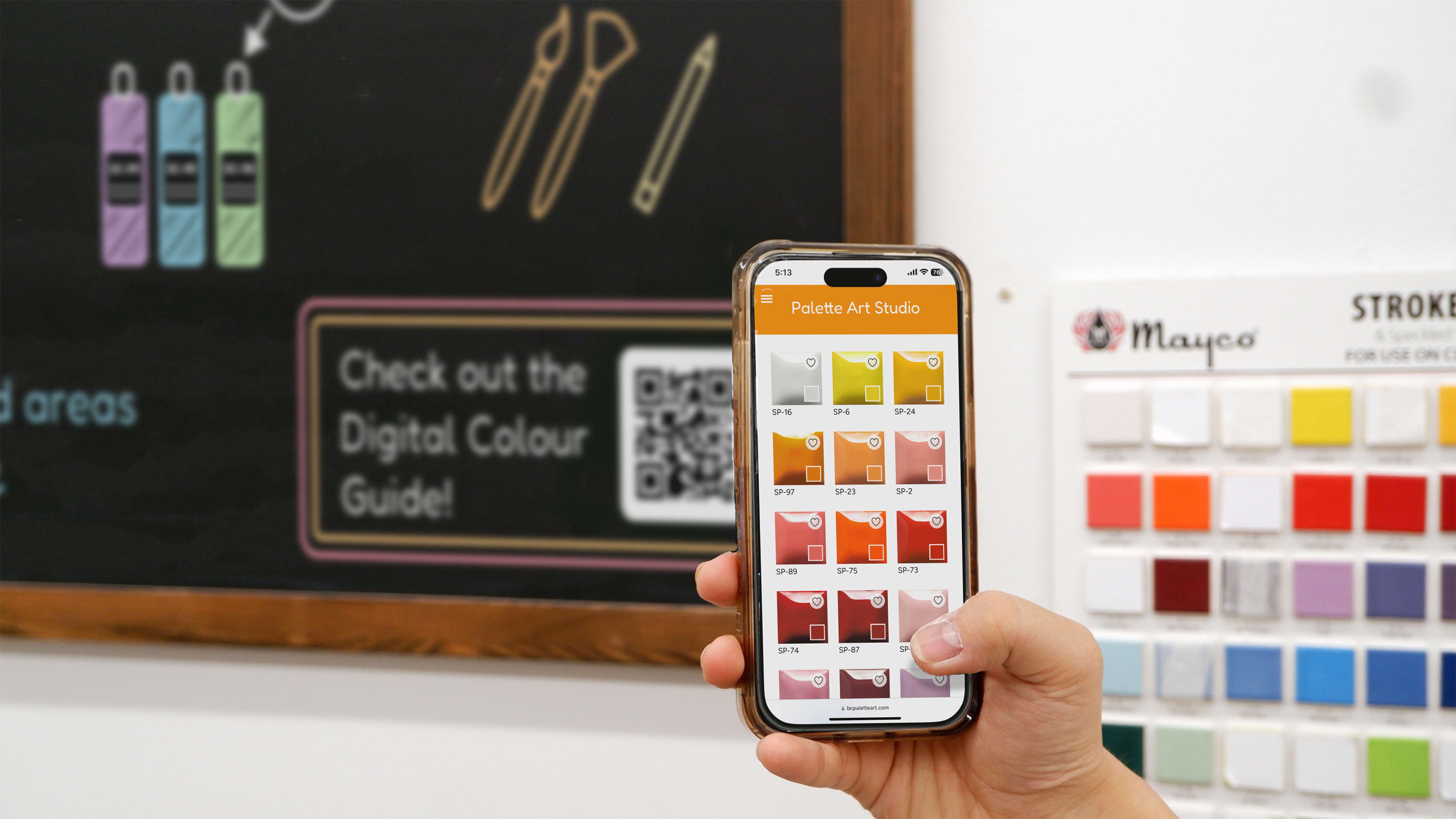
Prototype screens for the digital colour guide In-progress chalkboard redesign

I worked on interface and layout decisions for the digital colour guide while the team continued refining the connected system of tools.

5. Final Outcome
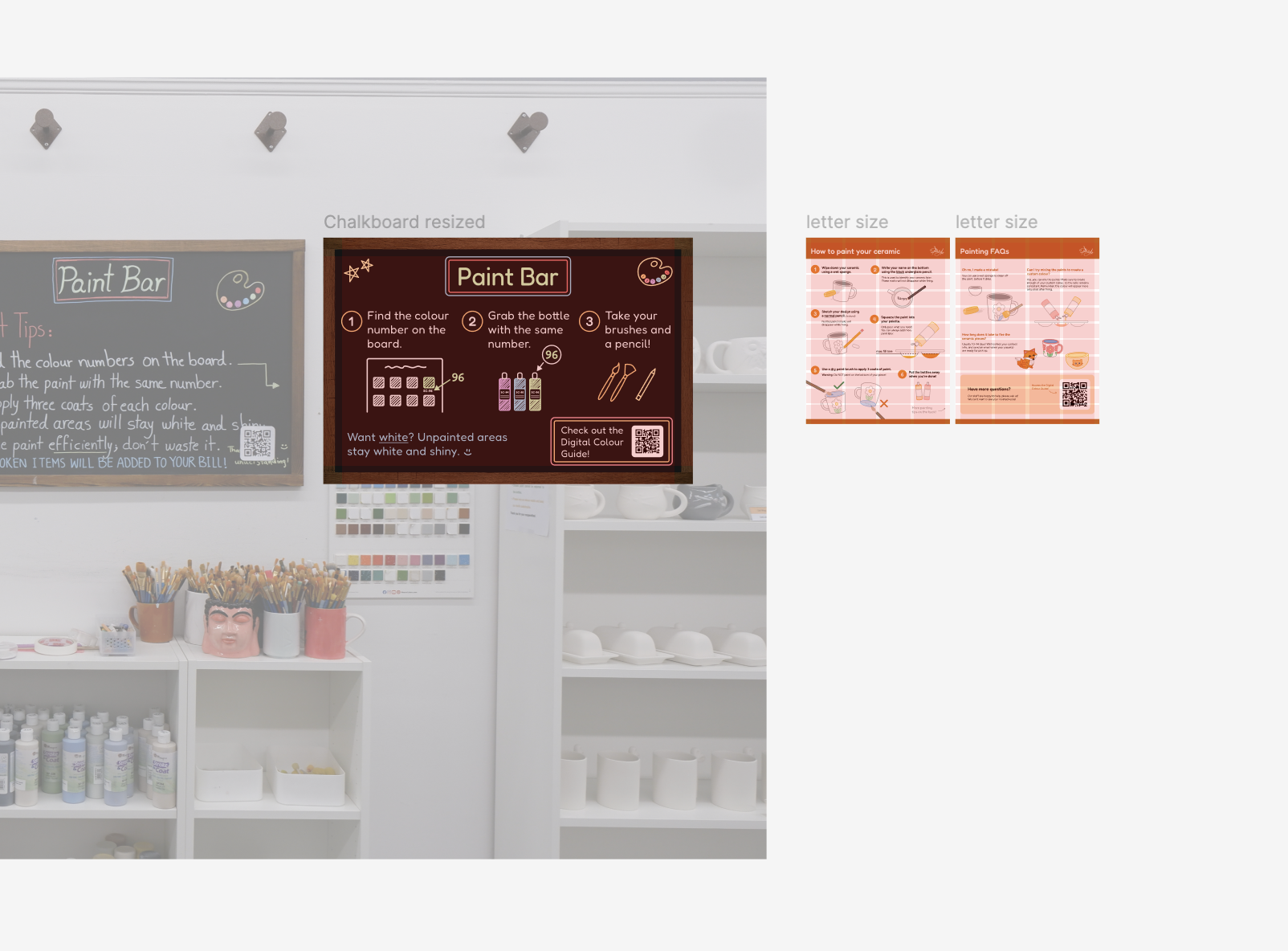
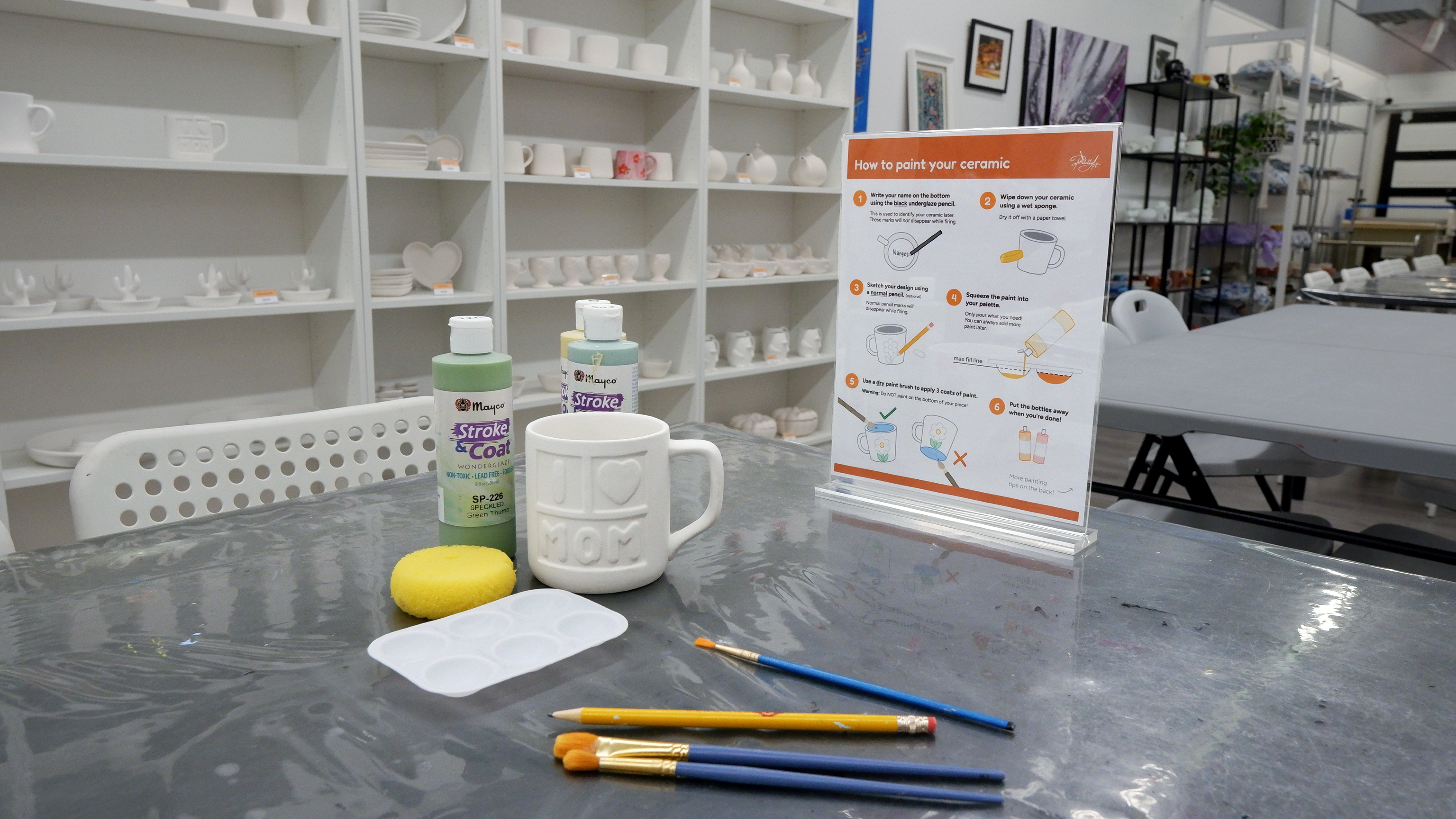
Final chalkboard design for the Paint Bar Final infographic for glazing instructions

The final system included a Digital Colour Guide, Table Infographics, and a redesigned chalkboard supporting a clearer and more independent studio experience.

Problems and Resolutions

A major design challenge was creating a solution that worked for both customers and staff. Through research synthesis, critique, and repeated prototyping, the team refined a system that reduced confusion while improving studio workflow.

Evaluation

This project strengthened my research, teamwork, and interaction design skills. It also helped me understand how thoughtful design decisions can improve a real-world service experience.

About Me Section

Portrait of Manmeet Sagri

About Me

Hello! I'm Manmeet Sagri, an undergraduate student at SFU studying Interactive Arts and Technology. I enjoy working at the intersection of technology and creativity, building interactive and visually engaging digital experiences.

My work ranges from game development to web design and creative coding projects. I'm especially interested in designing systems that are both functional and expressive.

I'm always exploring new tools and ideas, whether through coding, design, or photography, and I enjoy creating work that feels both personal and meaningful.